


Android Build
Automating the Android build process in Appcircle's CI/CD pipelines enhances efficiency and reliability, allowing for seamless compilation, testing, and deployment of Android applications.
Key Benefits
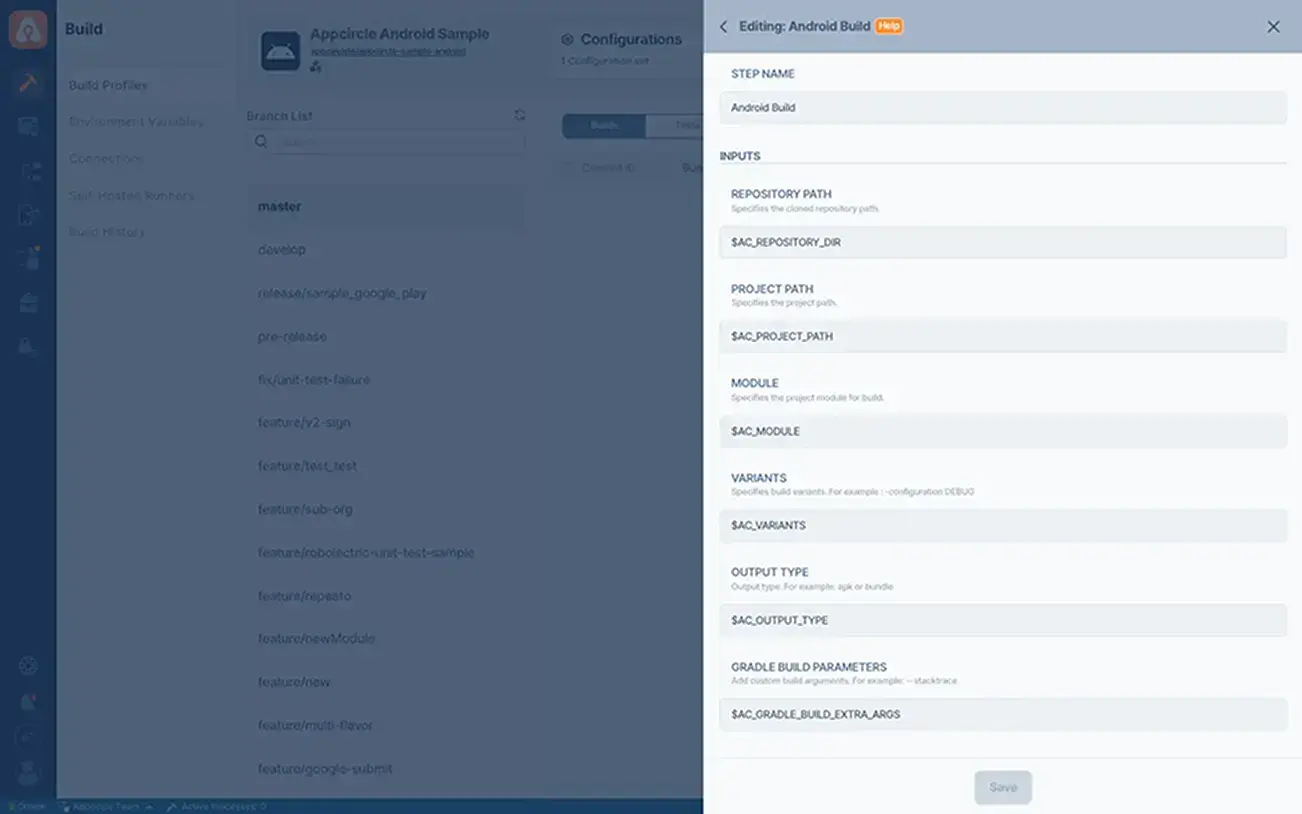
Automated Build: Automatically build your Android app's source code into an APK or AAB, ensuring consistent builds every time.
Integrated Testing: Seamlessly integrates with testing frameworks to automatically run unit and UI tests, helping identify issues early in the development process.
Continuous Deployment: Enables continuous deployment to app stores or distribution platforms, streamlining the release process and getting updates to users faster.
Build Customization: Offers customization options for build configurations, allowing you to tailor the build process to your project's specific needs.
Points to Consider
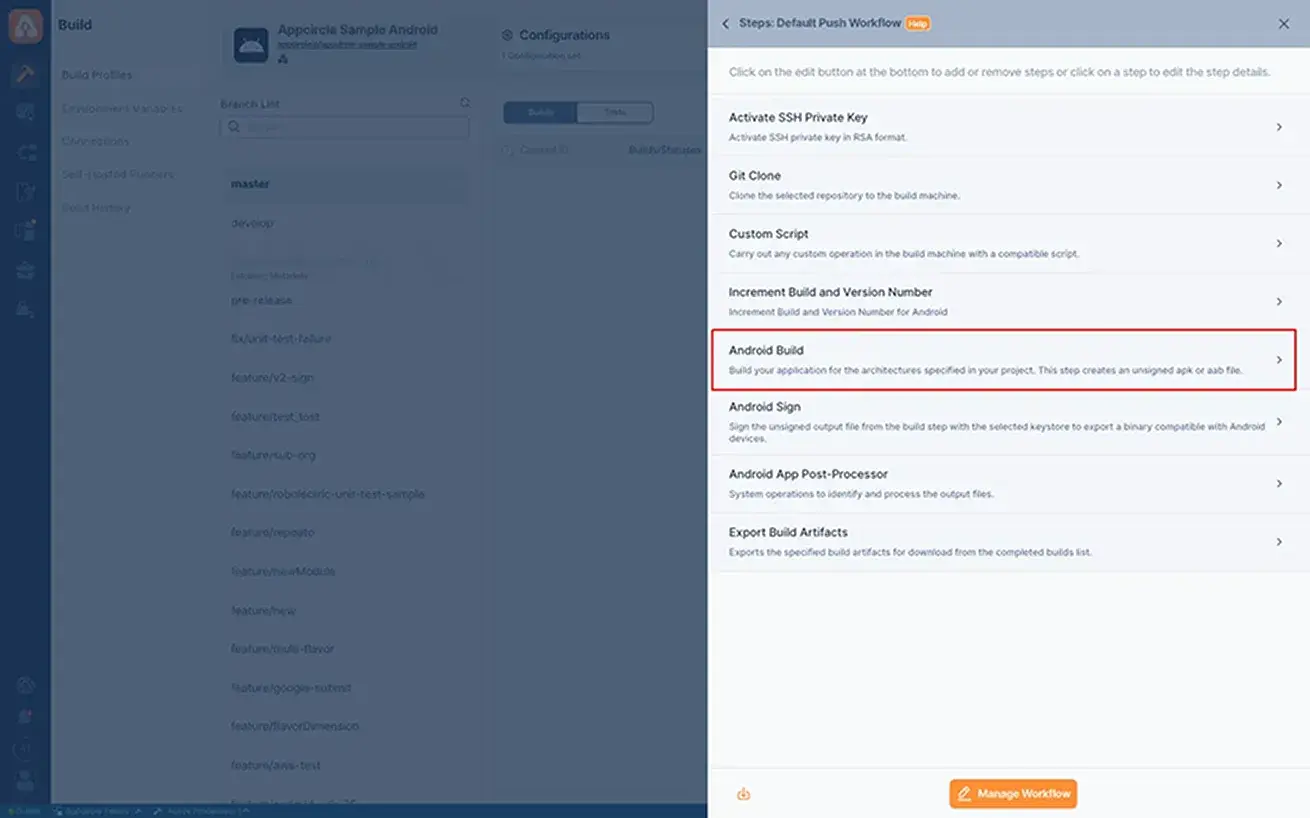
Build Configurations: Ensure your build configuration (e.g., Gradle files) is correctly set up for the automated build process in Appcircle.
Dependency Management: Manage your project's dependencies effectively to avoid build errors and ensure smooth compilation.
Environment Variables: Utilize environment variables in Appcircle to manage sensitive information and configuration settings securely.
Build Artifacts: Configure the storage and management of build artifacts, such as APKs or AABs, for easy access and deployment after the build process.

For more information on setup and usage, please visit Appcircle Technical Documentation
FAQs
What kind of build environment does Appcircle use for Android builds?
Can I generate both APK and AAB in a single build?
Get Started with Appcircle
Save time, reduce costs, and increase developer productivity
Get informed about news, new releases, and mobile DevOps.