


Flutter Analyze
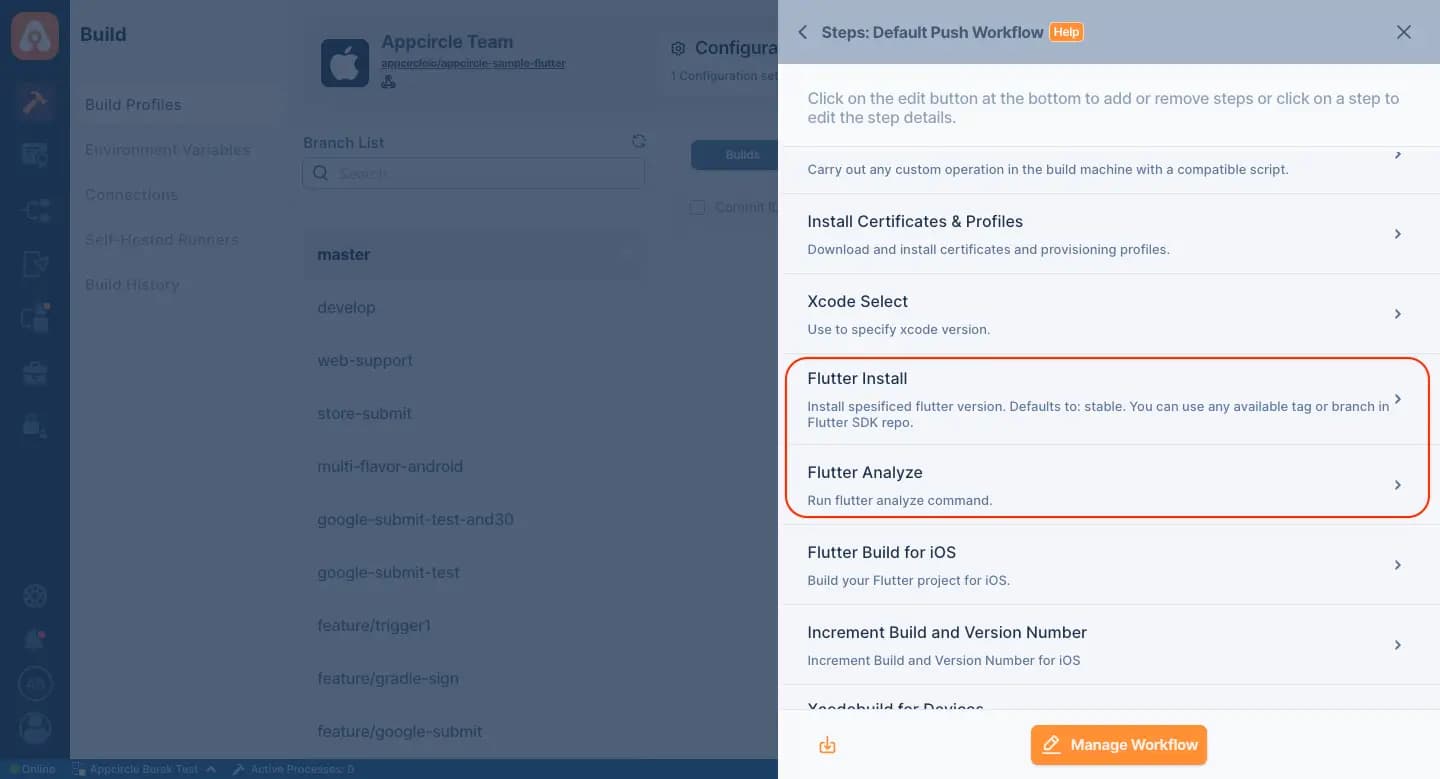
Integrating Flutter Analyze in Appcircle's CI/CD pipelines automates code analysis for Flutter apps, identifying potential issues and ensuring adherence to best practices for optimal app quality.
Key Benefits
Automated Code Analysis: Scans Flutter code for errors, warnings, and style violations, helping maintain higher code quality.
Early Issue Detection: Identifies issues early in development, reducing debugging time and lowering the cost of fixes.
Best Practices Enforcement: Enforces Flutter's best practices and coding standards, ensuring consistency and maintainability across the codebase.
Seamless Integration: Works smoothly with Appcircle's CI/CD pipelines, providing continuous analysis and real-time feedback in the development workflow.
Points to Consider
Analysis Configuration: Configure Flutter Analyze to suit your project's needs, including custom rules and analysis options.
Error Handling: Define strategies for handling detected issues, such as failing builds for critical errors or resolving warnings during code review.
Performance Impact: Monitor the effect of analysis on build times and adjust frequency or scope to balance accuracy with efficiency.
Continuous Improvement: Use analysis results to drive continuous improvement, addressing issues proactively and refining coding practices over time.
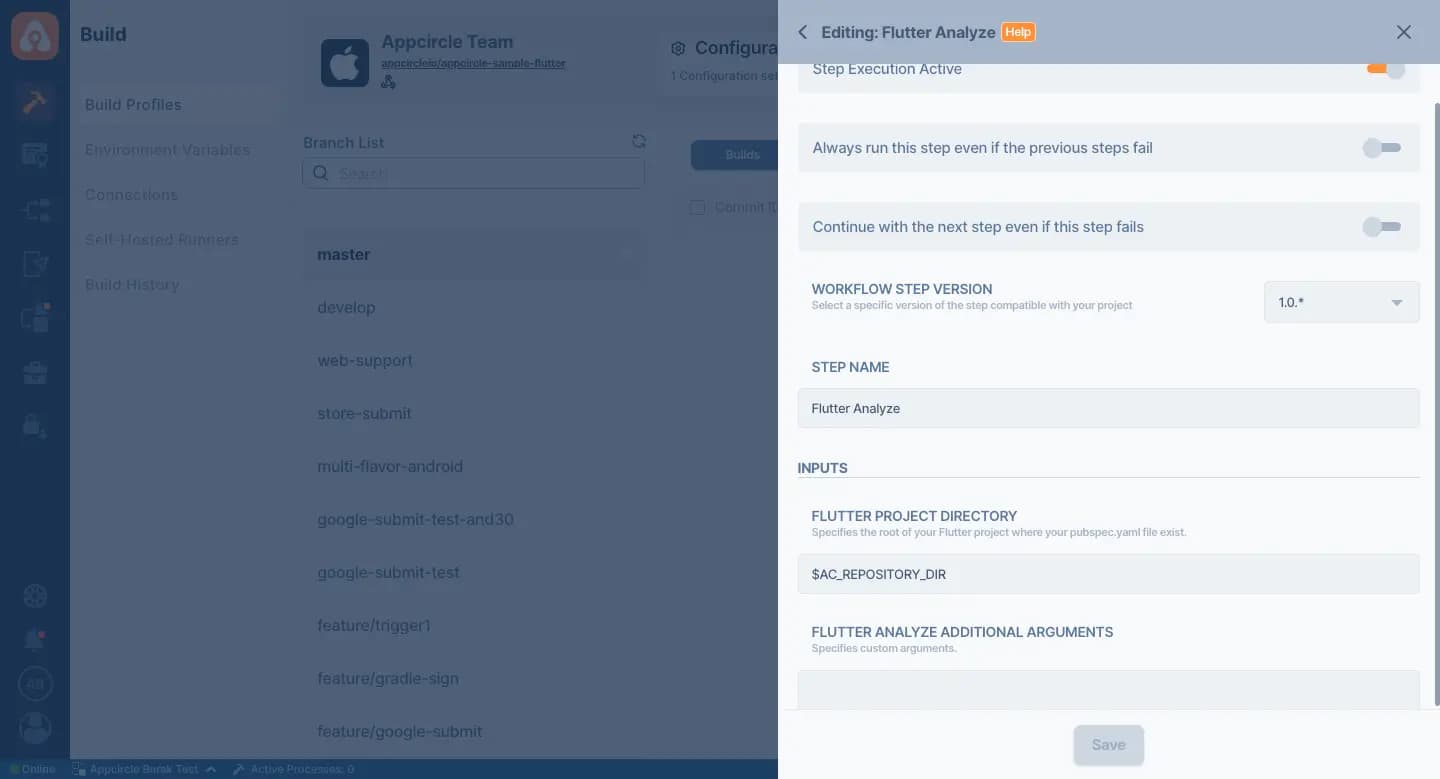

For more information on setup and usage, please visit Appcircle Technical Documentation
FAQs
What is Flutter Analyze?
Why is code analysis important for Flutter apps?
How do I run Flutter Analyze?
Get Started with Appcircle
Save time, reduce costs, and increase developer productivity
Get informed about news, new releases, and mobile DevOps.