


Install Certificates & Profiles
Integrating the process of installing certificates and profiles into Appcircle's CI/CD pipelines simplifies the setup for iOS and macOS app development. This step ensures that all necessary security certificates and provisioning profiles are correctly configured and in place for app signing, facilitating seamless builds and deployments.
Key Benefits
Streamlined Configuration: Automates the installation of certificates and provisioning profiles, minimizing manual setup errors and simplifying the build process.
Secure Management: Protects sensitive certificates and provisioning profiles within Appcircle's CI/CD platform, ensuring they are only usable in builds and inaccessible for direct download.
Consistent Builds: Guarantees that every build uses the correct and most up-to-date signing assets, ensuring reliability across development, testing, and production.
Efficiency in Deployment: Supports multiple deployment environments such as test devices, app stores, and enterprise distribution by automating code signing. Different certificates can be defined for different environments.
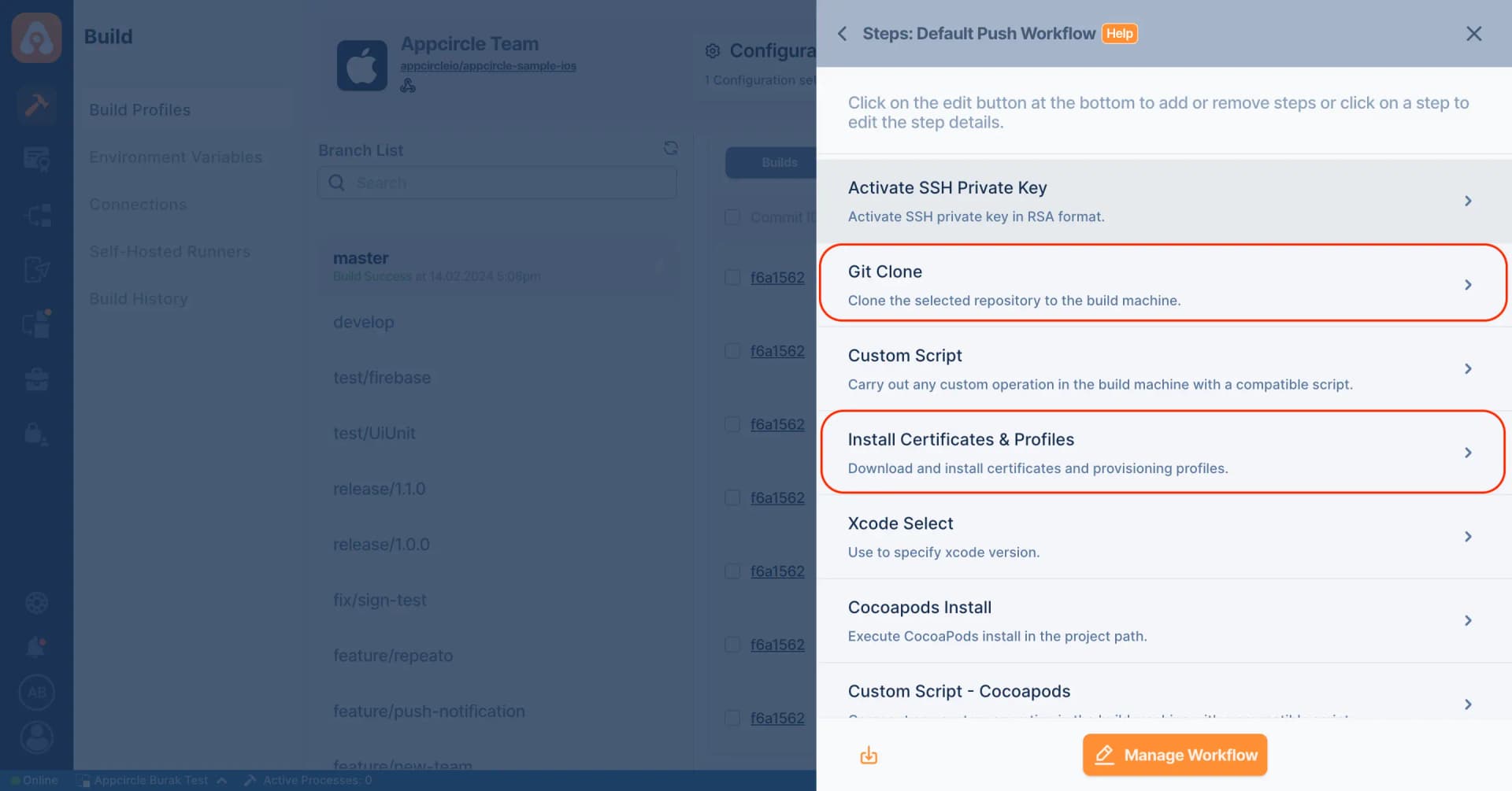
Points to Consider
Certificate and Profile Expiration: Keep track of the expiration dates for your certificates and provisioning profiles to avoid build failures. Set reminders to renew them before they expire.
Profile Configuration: To avoid any signing errors, double-check that the provisioning profiles match the app's bundle identifier and are configured for the correct build type (development or distribution).
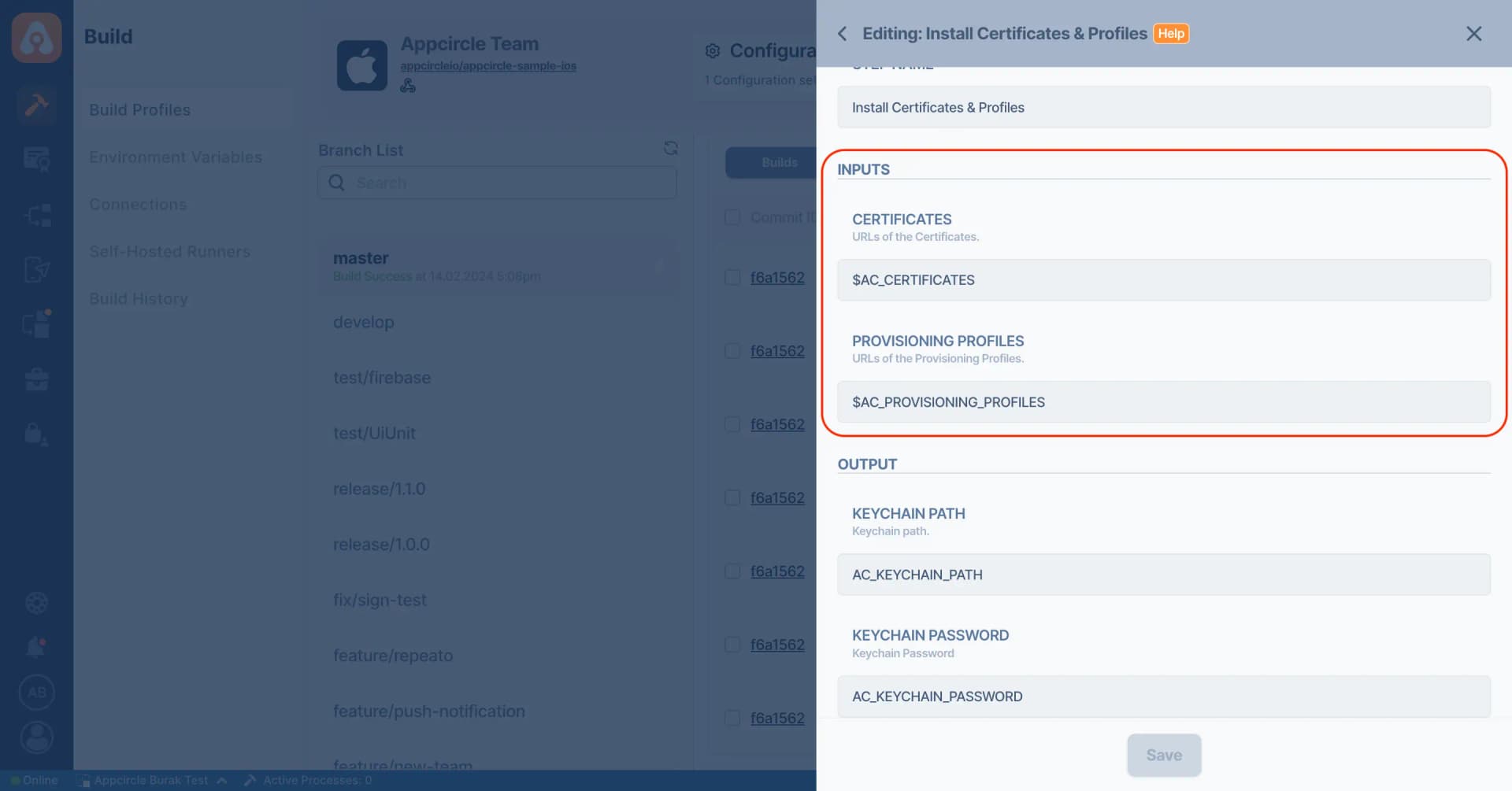

For more information on setup and usage, please visit Appcircle Technical Documentation
FAQs
What is Apple Certificates?
What is Apple Profiles?
What is iOS app signing?
Get Started with Appcircle
Save time, reduce costs, and increase developer productivity
Get informed about news, new releases, and mobile DevOps.