


Install Node
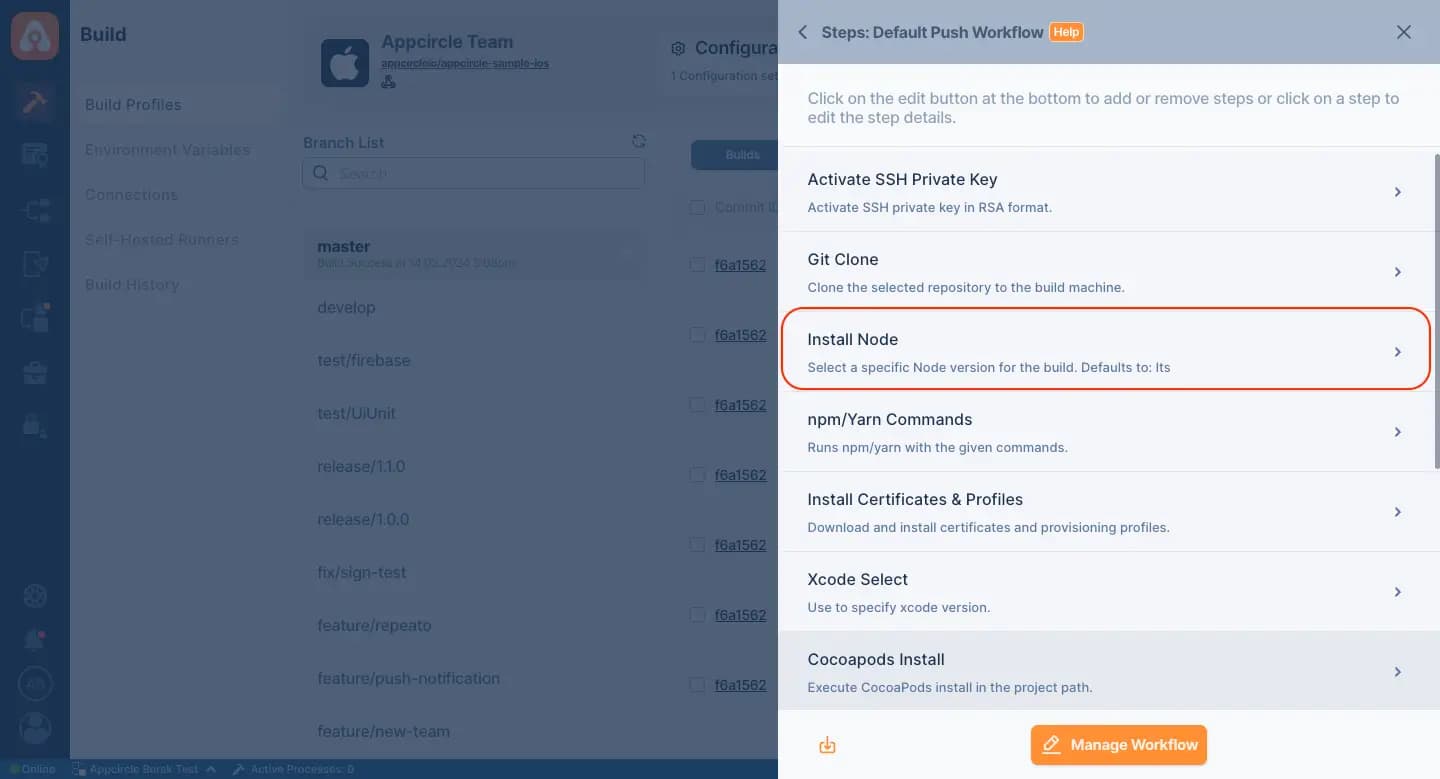
Integrating Node.js installation in Appcircle's CI/CD pipelines automates the setup process for JavaScript app development, providing a consistent and reliable environment for building and testing Node.js applications.
Key Benefits
Automated Setup:: Simplifies the Node.js installation process, ensuring that the correct version of Node.js is automatically set up in the CI/CD pipeline.
Consistent Environment:: Provides a consistent development and build environment for Node.js applications, reducing discrepancies and potential issues.
Version Management:: Allows for easy management of Node.js versions, enabling quick updates or changes to match project requirements.
Seamless Integration:: Easily integrates with Appcircle's CI/CD pipelines, providing a seamless workflow for Node.js app development, testing, and deployment.
Points to Consider
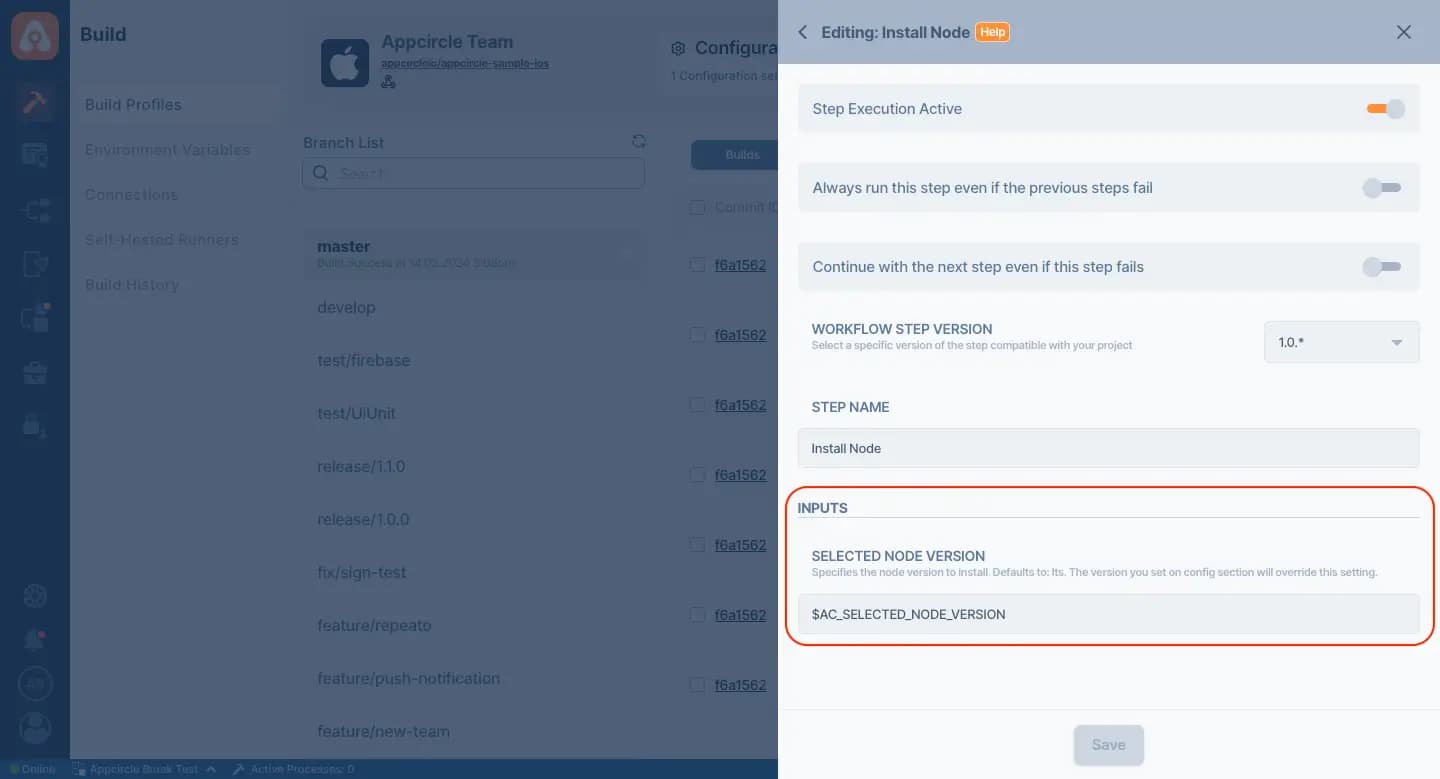
Node.js Version:: Choose the appropriate Node.js version for your project, considering compatibility with your app's dependencies and features.
Environment Variables:: Set up necessary environment variables in Appcircle for Node.js, such as PATH and NODE_HOME, to ensure proper functioning of the Node.js environment.
Dependency Management:: Ensure that your Node.js project's dependencies are correctly managed and compatible with the installed Node.js version.
Testing:: Incorporate automated testing as part of the pipeline to validate the functionality and stability of your Node.js app with the installed Node.js environment.

For more information on setup and usage, please visit Appcircle Technical Documentation
Get Started with Appcircle
Save time, reduce costs, and increase developer productivity
Get informed about news, new releases, and mobile DevOps.