


iOS Version Management
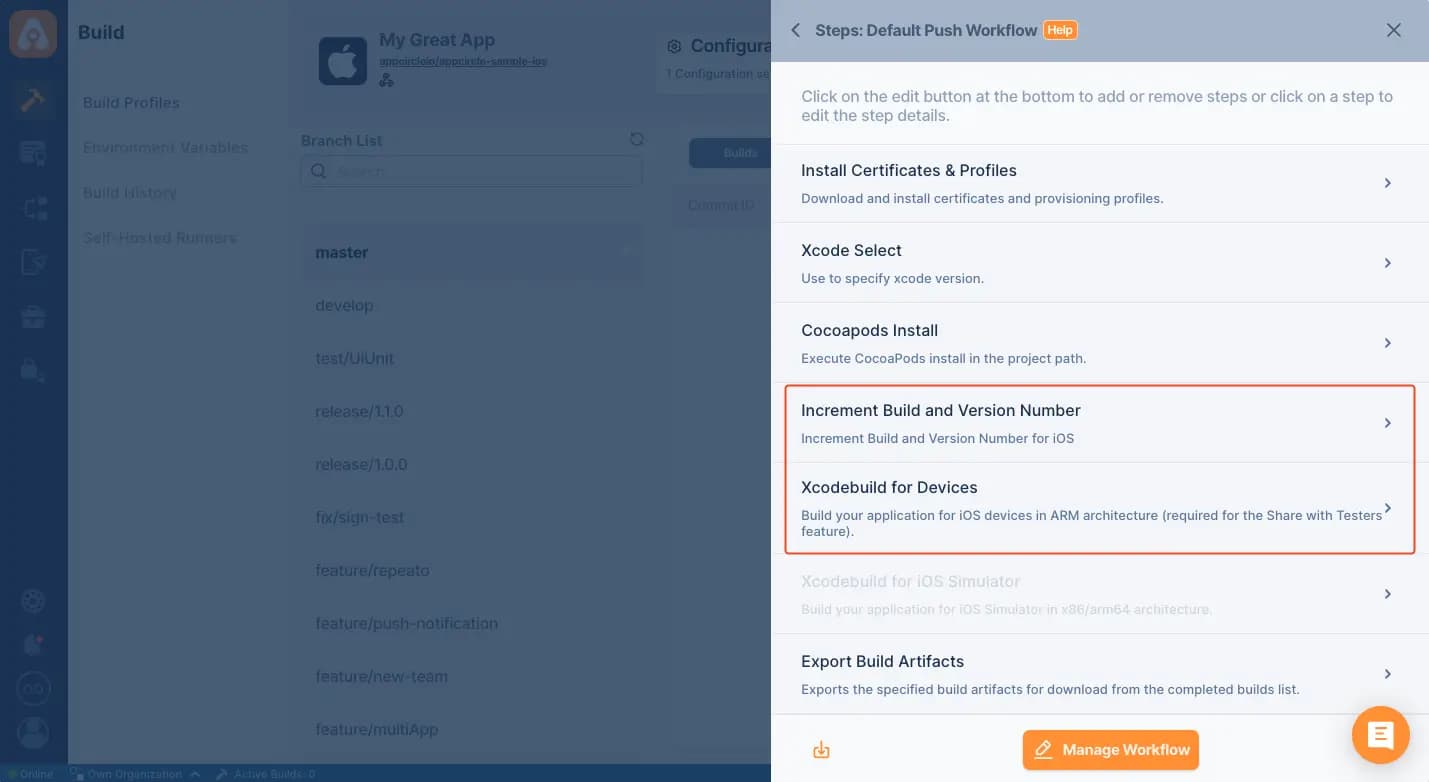
Integrating iOS Version Management in Appcircle's CI/CD pipelines automates the process of managing app versions, ensuring consistency and simplifying the release process for iOS apps.
Key Benefits
Automated Versioning: Automatically increments build and version numbers, ensuring consistent versioning across all builds and releases.
Streamlined Releases: Simplifies the release process by managing version numbers automatically, reducing manual errors and speeding up app store submissions.
Version Tracking: Maintains a clear version history, making it easier to manage updates and releases.
Seamless Integration: Integrates smoothly with Appcircle's CI/CD pipelines, providing a streamlined workflow for iOS app development and deployment.
Points to Consider
Versioning Strategy: Define a versioning strategy that matches your release cycles, whether through semantic versioning or automatic version code incrementation.
Environment Variables: Use environment variables in Appcircle to manage version numbers dynamically for greater flexibility.
Build Variants: Ensure versioning is properly configured for all build variants to maintain consistency across environments.
Testing and Validation: Test and validate version updates regularly to confirm they are applied correctly and reflected in the app, avoiding conflicts during store submissions.
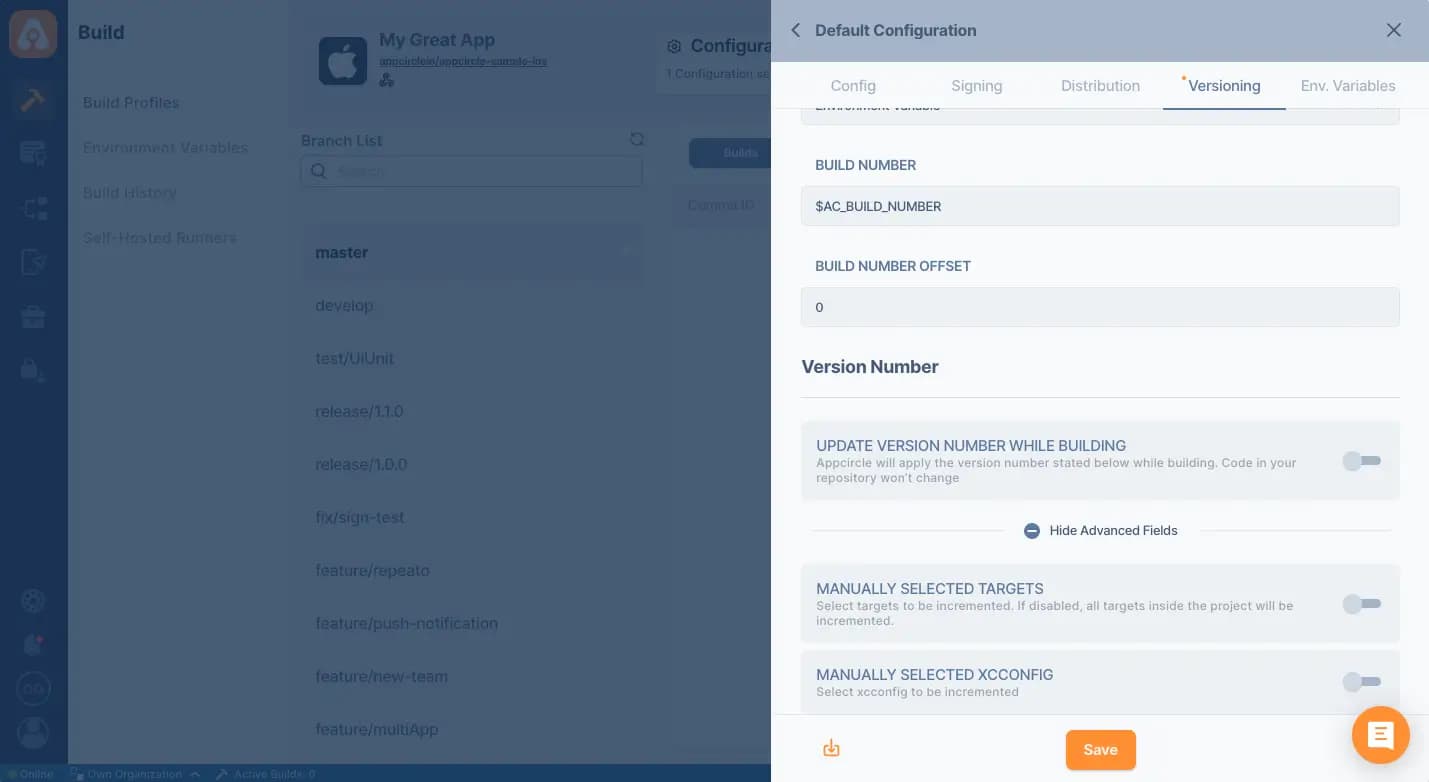

For more information on setup and usage, please visit Appcircle Technical Documentation
FAQs
What is iOS app versioning?
How does iOS app versioning work?
Why is proper versioning important in iOS apps?
Can iOS app versioning be automated in CI/CD?
Get Started with Appcircle
Save time, reduce costs, and increase developer productivity
Get informed about news, new releases, and mobile DevOps.