

Android App Distribution
Complete guide to Android app distribution covering Google Play testing tracks, direct APK/AAB delivery, enterprise in-house distribution, and Firebase App Distribution, with best practices for secure access control, tester management, and API-driven release automation.
What is Android App Distribution?
Android app distribution is the process of delivering an Android app build to the right audience (testers, stakeholders, or end users) and ensuring they can install and update it reliably. It includes preparing a release artifact (AAB or APK), controlling who gets access, and defining how releases and updates are rolled out.

In a well-run workflow, distribution also means keeping releases secure and traceable: consistent app signing (Keystore/Play App Signing), clear versioning (versionCode and versionName), controlled tester access, and repeatable steps that can be automated through CI/CD. Choosing the right Android app distribution strategy for testing, internal use, or a public release is essential for speed and reliability.
Android App Distribution Challenges
Android app distribution tends to get complicated as soon as you have multiple environments, multiple audiences, and multiple release timelines to support. Without clear ownership over signing, versioning, and access control, it's easy for teams to release the wrong build, slow down feedback cycles, or introduce avoidable release risk.
Common challenges teams face include:
- Device and OS fragmentation across manufacturers and Android versions
- Multiple release channels to manage (production, testing tracks, and internal/enterprise distribution)
- Signing and key management (keystores, Play App Signing, key rotation)
- Versioning mistakes that block updates (versionCode/versionName)
- Secure tester access (group-based sharing, control, auditability)
- Policy, review, and compliance constraints
- Manual release steps that slow teams down and increase errors
This guide covers Android app distribution end to end and shares best practices to reduce these challenges with a structured, automated approach.
Android Distribution Channels Explained
There are multiple channels through which an Android app can be distributed. Each method serves a different purpose depending on whether the app is intended for public release, pre-release testing, internal/enterprise use, or distribution outside of Google Play.
Choosing the right distribution channel depends on your target audience, release stage, compliance needs, and how much control you need over access, updates, and signing.
Here are the main Android distribution channels, along with when to use each one and the key trade-offs.
| Distribution Method | When It Is Used | Pros | Cons |
|---|---|---|---|
| Google Play (Public Releases) | When releasing the app publicly to Android users via Google Play (production). | - Largest reach and trusted install flow - Supports staged rollouts and managed updates - Works well with Play App Signing and Google Play policies | - Subject to Google Play policy requirements and reviews - Slower release cadence than direct sharing - Requires Play Console setup and store listing management |
| Google Play Pre-release Channels (Testing Tracks) | When validating builds before launch or before a wider rollout (internal, closed, or open testing). | - Easy install/update through Google Play - Clear separation between testing and production - Useful for staged validation and feedback loops | - Not designed for confidential distribution (depending on setup) - Track rules and tester management add process overhead - Still tied to Play Console workflows |
| Direct APK/AAB Distribution | When distributing directly to a controlled audience (e.g., quick QA checks, demos, device labs) without Google Play. | - Fast to share and install (no store listing) - Full control over access and hosting - Useful when Google Play is not available or not desired | - Downloading from unknown sources can introduce security risks - Harder to manage testers, access control, and auditability at scale without a proper app distribution tool |
| Enterprise / In-House Distribution | When distributing privately within an organization (employees, field teams, internal tools), often via Managed Google Play, MDM/MAM, or private enterprise app stores. | - Private distribution with organizational access control - Works well for compliance and device management - Centralized update and policy enforcement | - If MDM is used, it requires enterprise IT setup and device enrollment - Can be costly and time-consuming to maintain (policies, device management, ongoing administration) |
| Alternative App Stores | When Google Play is not the primary channel (regional or device ecosystems) or when you need additional storefronts (e.g., Huawei AppGallery, Samsung Galaxy Store, Amazon Appstore). | - Reach users outside Google Play ecosystems - Can support region or vendor-specific distribution needs | - Multiple store submissions and compliance requirements - Fragmented analytics, reviews, and release flows - Operational overhead for updates and support |
Note: Android does not have an exact equivalent of iOS "Unlisted Apps" in Google Play production. For "share via link" use cases, teams typically use testing tracks or internal sharing flows, depending on their access and security requirements.
Google Play Testing Tracks
Google Play testing tracks let you release pre-release builds to targeted audiences via the same seamless install and update flow as a production release. It helps teams validate functionality, performance, and stability before promoting a build to production, while keeping test versions separated from your public rollout.
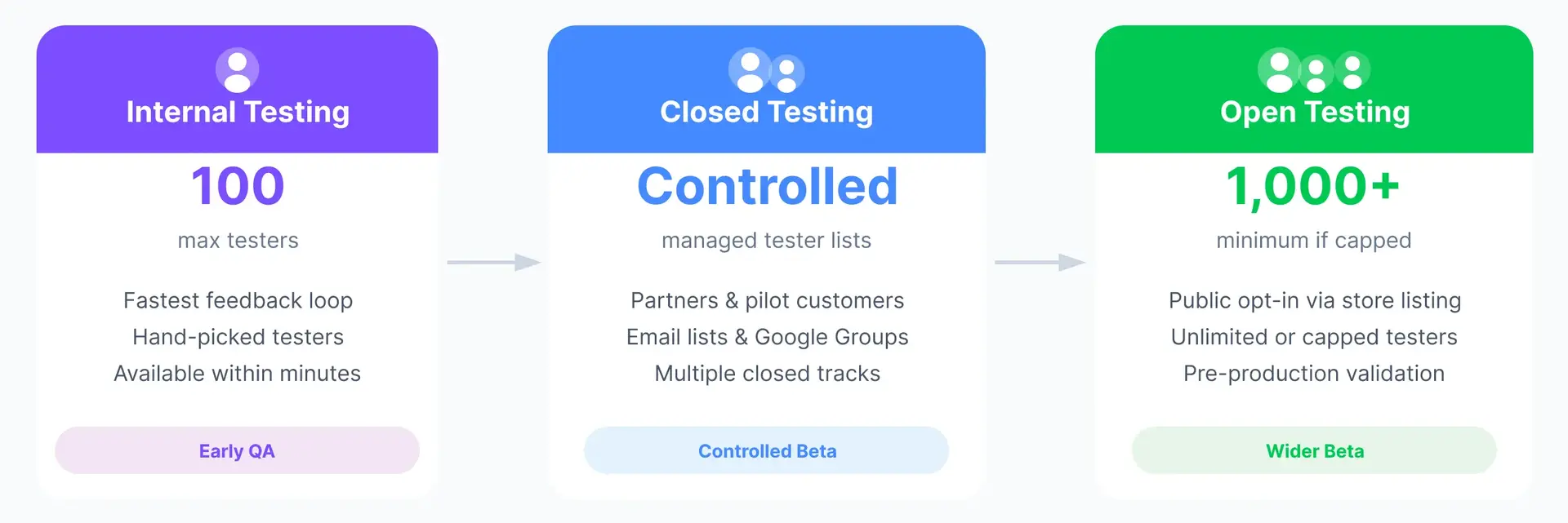
Internal vs. Closed vs. Open Testing
Google Play testing is typically organized into three track types, tailored to your tester audience size and control needs:
- Internal testing: The fastest loop for tight QA groups. You can make a build available to up to 100 testers that you explicitly select.
- Closed testing: A controlled beta for specific cohorts (partners, pilot customers, larger QA teams). Access is managed through tester lists, such as individual emails, email lists, or Google Groups.
- Open testing: A wider beta where people can opt in via your app's store listing. You can keep participation unlimited or set a cap; if you cap it, Google requires a minimum of 1,000.
Note for newer personal accounts: If a personal developer account was created after Nov 13, 2023, Google may require you to run a closed test before you can apply for production access. When applying, you need 12 testers continuously opted in for 14 days. You can find detailed information in the Google's documentation.
Track-based Distribution, Rollouts, and Tester Management
Tracks are most effective when you treat them as a progression path from "small and fast" to "broad and stable":
- Promote builds step by step: Many teams start with internal testing, expand to closed or open testing, and then move a proven build to production.
- Use staged rollouts for updates: For app updates (not initial publishes), gradually release to a percentage of production or test users to catch issues early and minimize risk.
- Keep tester access maintainable: Closed testing works well with group-based management (email lists / Google Groups), so access stays accurate as people join or leave teams.
- Collect feedback without affecting ratings: Feedback from open/closed tests is reviewed in Play Console and does not change your production star rating.
Approvals, Policy Checks, and Review Considerations
Even if a build is "just for testing," it still lives in the Google Play ecosystem, so plan for these realities:
- Review and processing time can affect schedules: In some cases, reviews can take 7+ days, so build in buffer time for releases and track promotions.
- Policy and disclosure obligations still apply: Comply with Google Play rules and complete required forms accurately (e.g., Data safety section).
- Open testing increases visibility: Because open testing is discoverable through your store listing, ensure both the build and the listing are appropriate for a broader audience before enabling it.
Direct APK/AAB Distribution
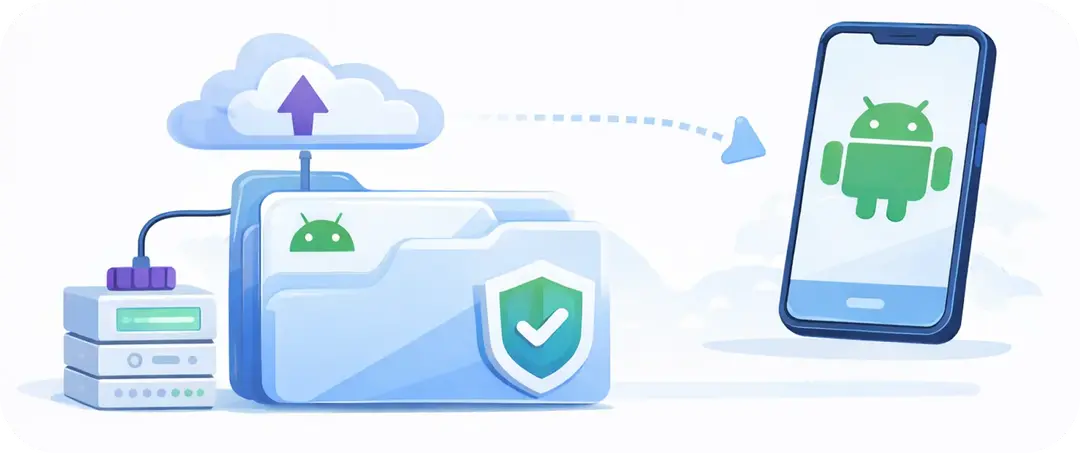
Direct app distribution means sharing an installable Android build outside of Google Play. In practice, this is usually an APK (since an AAB typically needs to be processed into device-specific APKs before installation). Teams use direct distribution for testing, fast internal checks, demos, or cases where Google Play is not an option.
Direct distribution can be effective, but it requires extra care around security, access control, and traceability, because the Android app is no longer protected by Google Play's standard install and update flow.
Hosting APKs Securely and Controlling Access
If you distribute APKs directly, treat the download link like a sensitive asset:
- Host on HTTPS and avoid public, indexable links.
- Require authentication (SSO, signed URLs, or token-based access) rather than "anyone with the link."
- Use expiring links and rotate them for every release cycle.
- Restrict forwarding with invite-only access (user- or group-based), not a single shared URL.
- Enable audit logs (who downloaded what, when) and keep releases traceable to a build ID.
- Verify build integrity by keeping a checksum (e.g., SHA-256) and sharing it through a trusted channel.
- Label builds clearly (environment, Commit ID, Commit Message, workflow/configuration name) to prevent "wrong build" testing.
- Plan for revocation: if a link leaks, you should be able to disable it quickly and invalidate access.
Tip: If you regularly share binaries outside of Google Play, a dedicated app distribution tool like Appcircle (with access control and auditability) is typically safer and easier than ad-hoc file sharing.
When to Choose Direct APK vs. Google Play Testing
Choose direct APK distribution when:
- You need the fastest possible share-and-install loop for a small trusted group.
- The build is for internal QA, testers, demos, or troubleshooting and you don't want Play Console overhead.
- You need tighter control over who can access the build (e.g., short-lived links, strict access policies).
- Google Play is not available or not appropriate for the scenario (offline devices, restricted environments).
Choose Google Play testing tracks when:
- You want testers to install and update through Google Play, similar to production.
- You prefer to manage testers through Google Play (internal/closed/open) and rely on its standards.
- You plan to promote the same release through a staged path toward production.
- You want to reduce friction and support issues caused by sideloading prompts and device restrictions.
Enterprise (In-house) Distribution for Android
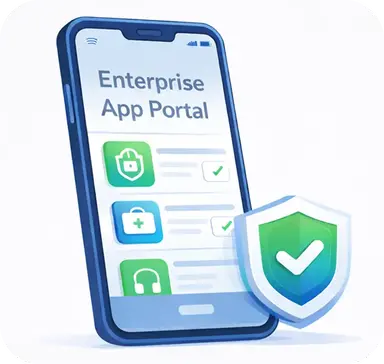
Enterprise distribution focuses on delivering Android apps privately within an organization, with stronger requirements for access control, compliance, and device management. In practice, this often means distributing apps through Managed Google Play, an MDM/MAM solution, or a private enterprise app store that provides a secure enterprise app portal for employees.
Managed Google Play and Private Apps
Managed Google Play is the enterprise version of Google Play used in Android Enterprise deployments. It enables organizations to distribute apps through a managed store experience and control availability through IT policies.
A common pattern for in-house apps is publishing them as private apps, which are restricted to specific organizations (via your enterprise setup) rather than being publicly discoverable on Google Play. They appear in the organization's managed Play experience only for approved users/devices. Private apps can be assigned and managed through an enterprise mobility tool such as Intune, allowing IT teams to control who can access the app and how it updates.
Typical benefits of Managed Google Play for in-house apps include:
- Centralized distribution through an enterprise-approved store catalog
- Policy-based access control (by groups, departments, device ownership, etc.)
- Managed installation and updates (depending on device ownership and IT policy)
- Better governance than ad-hoc APK sharing
Private Enterprise App Stores
A private enterprise app store is an internal app catalog or portal where employees can find and install approved applications. In many organizations, this "store" is powered by an MDM/EMM solution (for example, an app catalog inside an IT portal). In other cases, teams use a dedicated distribution portal designed for internal releases.
Private enterprise app stores are useful when you need:
- A branded internal portal for employees and stakeholders
- Role or group-based app visibility (who sees which app)
- Controlled access, audit logs, and traceability per app
- A clear separation between internal distribution and public store releases
Enterprise App Store capabilities offered by mobile CI/CD platforms like Appcircle can also help by providing a secure, customizable enterprise app portal that integrates into your CI/CD workflow and delivers an auditable distribution experience.
OTA or In-app Updates for Android Apps
For enterprise distribution, "over-the-air (OTA) updates" typically mean delivering new app versions to devices remotely. How smooth this process will be depends on the distribution channel:
- Managed Google Play + MDM policies: Updates can be enforced or scheduled through IT policy on managed devices (where the organization has the right level of control).
- Private enterprise app stores / internal portals: Teams can publish new builds with release notes and prompt users to update through a controlled workflow.
For apps distributed outside Google Play, in-app update experiences are typically custom and should be designed carefully to avoid security and compliance risks. Without an OTA-capable workflow, users often need to re-download and reinstall the app each time a new version is published, and the update process is usually less seamless than installing via Google Play. Using an app distribution tool that supports OTA-style updates or in-app updates can help users discover new versions faster and complete updates with minimal friction, while keeping access controlled and releases traceable.
Firebase App Distribution for Android
Firebase App Distribution is an app distribution service designed to help teams deliver pre-release builds to trusted testers quickly. It's commonly used to shorten QA cycles, collect early feedback, and validate stability before moving a build to wider testing or production.
It fits well when you already use Firebase and want a lightweight way to distribute builds from the Firebase console or automate distribution through CI/CD using tools like the Firebase CLI, Fastlane, or Gradle.
Challenges and Firebase Alternatives
Firebase App Distribution is convenient for many Android teams, but it has practical trade-offs you should plan for:
Common challenges:
- Tester scaling limits: There are limits on how many testers you can add per project and per group, which can become a constraint for large beta programs.
- Access and identity model: Tester access is invitation-based and tied to the onboarding flow, so organizations with strict identity or external stakeholder requirements may need additional controls.
- No native SSO and Google account dependency: Firebase App Distribution does not provide native enterprise SSO for tester sign-in, and the tester experience commonly relies on Google account–based access, which may not match corporate identity requirements.
- Release governance and auditability: While it's great for distributing builds fast, some teams need richer governance features (granular roles, longer retention, advanced audit logging) as distribution grows.
- Channel fit: It's primarily for pre-release testing. If your use case is ongoing internal distribution to employees, you may prefer an enterprise app portal or managed-store approach.
Other options to consider:
- Google Play testing tracks (internal/closed/open): Still a Google ecosystem option, but a different workflow than Firebase. Useful when you want to validate through Google Play's standard install/update flow and promote builds toward production.
- Google Play Internal App Sharing: Another Google option for very fast link-based sharing in Play ecosystems (especially for quick verification cycles).
- Mobile app distribution tools: Useful when you need stronger access control, expiration policies, binary labeling, CI/CD integration, and auditability across teams (such as Appcircle Testing Distribution).
- Enterprise distribution options: Useful for internal employee distribution and organizations with centrally managed, secure corporate environments (Managed Google Play, MDM/MAM, private enterprise app stores).
If you want to see which approach fits your team's workflow and requirements best, take a look at our detailed comparison: Firebase App Distribution vs. Appcircle.
Android Distribution Automation with APIs
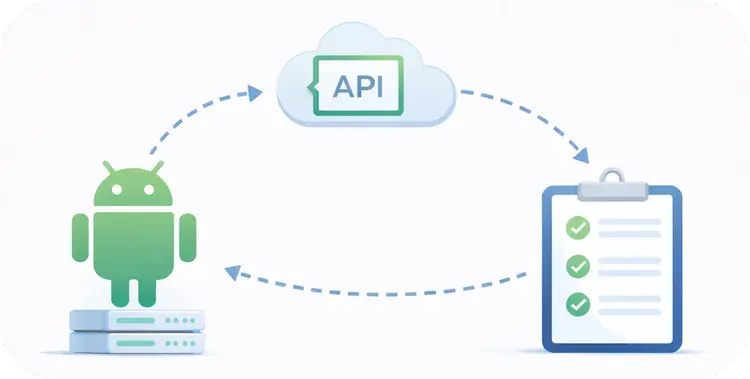
As Android teams scale, manual releases quickly become a bottleneck. Automating distribution helps you release faster while reducing human error across repetitive steps like uploading artifacts, updating release notes, and rolling out builds to the right track.
Google provides developer APIs that let CI/CD systems and automation tools interact with Google Play programmatically, so you don't have to rely on the Play Console UI for every release action.
Using Google Play Android Developer API for Automated Distribution and CI/CD
For Google Play, automated distribution is typically built on the Google Play Android Developer API (often referred to as the Publishing API / Android Publisher API). CI/CD platforms can use this API to authenticate securely and perform publishing tasks in a repeatable pipeline.
In most production setups, automation is done with a service account that you link to your Play Console and grant the minimum required permissions (instead of sharing a user's credentials). This makes it easier to manage access, rotate keys, and keep releases auditable.
A Google Play API integration is commonly used to automate tasks such as:
- Uploading release artifacts (AAB or APK) to Google Play
- Creating or updating releases for testing tracks and production
- Promoting a tested build from one track to another as part of a staged release process
- Setting rollout configuration for updates (for example, gradual rollouts)
- Updating release notes and selected store listing fields as part of a release workflow
- Uploading related artifacts (for example, ProGuard/R8 mapping files or native debug symbols) for better crash analysis
This approach integrates well with common CI/CD solutions like Appcircle and Fastlane, allowing teams to standardize distribution as code.
Android App Distribution Best Practices
1. Automate Testing Distribution in Your CI/CD Pipeline
Treat distribution as a repeatable pipeline step, not a manual handoff. Build once, sign once, and distribute the same artifact to the right audience (internal, beta, or enterprise) with clear metadata and release notes. This reduces "wrong build" incidents and keeps feedback cycles fast.
2. Protect Signing Keys and Standardize Signing Strategy
Android updates depend on consistent signing, so protect keystores, passwords, and signing identities as high-risk secrets. Use least-privilege access, secure secret storage, and clear ownership for key rotation and recovery. If you use Play App Signing, document how keys are managed across environments. For secure signing best practices, you can also visit our Android App Signing guide.
3. Control Tester Access and Keep Distribution Auditable
As testing grows, access management becomes a release risk. Prefer group-based access (teams/cohorts), time-limited links where applicable, and a single source of truth for who received which build. Aim for an auditable trail that ties each distributed binary to a build ID, commit, and release context.
4. Get Versioning Right: versionCode vs. versionName
Use versionCode as your strictly increasing internal build number and versionName as the user-facing version label. Automate versionCode increments in CI to avoid update blocks or accidental downgrades. Keep versioning consistent across tracks so it's easy to compare what's in testing vs production. Having CI/CD steps that automate Android version management is extremely useful, because it prevents release blockers and keeps builds traceable.
5. Reduce App Size and Improve Download/Install Success
Large apps slow down testing and increase install failures, especially on limited networks and storage. Monitor size changes per release so regressions don't slip in unnoticed. If your CI/CD platform supports binary comparison between builds, use it to quickly spot unexpected changes in size or contents.
6. Keep Release Notes and Changelogs Consistent Across Channels
Release notes reduce confusion for testers and internal users and speed up triage when something breaks. Standardize what you include (what changed, known issues, testing focus) and ensure the same message travels with the binary across tracks and portals.
FAQs
How to distribute an Android app for testing?
What is the official app distribution platform for Android?
How to distribute an APK without Google Play?
What's the difference between APK and AAB for distribution?
Can I share an AAB directly with testers?
How do I distribute Android apps internally to employees without Google Play?
How many testers can I add to Google Play internal testing?
Can I automate Google Play distribution from CI/CD?
When should I choose Google Play testing tracks vs Firebase App Distribution?
Can I promote the same build from a test track to production?
Do Google Play testers need a Google account?
What's a simple checklist before distributing an Android build?
What happens if the signing key changes between releases?
Do testers see my open/closed test reviews publicly?
How should I distribute builds across dev, staging, and production?
Get Started with Appcircle
Save time, reduce costs, and increase developer productivity
Get informed about news, new releases, and mobile DevOps.